

You've got dozens of people at your event with phones in their pockets. They're already filming. The question isn't whether you can get them to upload short clips, it's whether you make it easy enough that they actually will. Most event organizers overthink this. They set up complicated workflows, demand specific formats, or worse, assume everyone knows what they're doing. The reality is simpler. Make uploading frictionless, and people contribute. Add friction, and you're stuck hiring a video team.
Why Short Clips Beat Everything Else
Long-form content has its place. But when you're running an event and need authentic moments captured, short clips are the only format that makes sense.
People shoot them naturally. Pull out your phone at a concert, festival, or conference and you're not filming a 10-minute documentary. You're grabbing 15 seconds of the best moment. That's instinct, and you should work with it, not against it.
The practical benefits stack up fast:
- Attendees actually finish uploading them (small file sizes, quick transfers)
- Social platforms prioritize short-form content in 2026
- You can edit and publish the same day, not weeks later
- Storage and bandwidth costs stay reasonable
- People watch them (attention spans are real)
When you upload short clips from multiple attendees, you're not just getting coverage. You're getting perspective. Ten different people filming the same keynote speaker will catch ten different reactions, angles, and moments. One professional videographer can't do that.
What Format Actually Matters
Everyone obsesses over specs. Resolution, bitrate, codec. Here's what actually matters when people upload short clips: does it play on the platform you're using?
Most phones in 2026 shoot H.264 or H.265 by default. Both work fine. Vertical video (9:16) is standard for social platforms, but horizontal works for websites and YouTube. According to editing best practices for short-form video, matching the platform's preferred orientation matters more than resolution.
Platform Requirements That Matter
| Platform | Max Length | Orientation | File Size Limit |
|---|---|---|---|
| TikTok | 10 minutes | Vertical preferred | 4GB |
| Instagram Reels | 90 seconds | Vertical | 4GB |
| YouTube Shorts | 3 minutes | Vertical | 256GB |
| Facebook Reels | 90 seconds | Vertical | 4GB |
The file size limits are generous. That's intentional. YouTube Shorts and other platforms want you uploading content. They've removed technical barriers.
What trips people up isn't specs. It's making them re-encode video before they upload short clips. If your platform requires specific formats, you've already lost. People will try once, fail, and give up.
Making Upload Actually Work
You need a system that accepts what people shoot. Not what you wish they'd shoot.
The SureShot platform handles this by accepting virtually any mobile video format and processing it server-side. Your attendees don't think about codecs. They shoot, they upload, they're done.
What friction looks like in practice:
- "Please convert your video to MP4 first" (they won't)
- "Upload via our desktop portal" (they're on mobile)
- "Create an account before uploading" (half will bounce)
- "Wait for approval before trying again" (no feedback loop)
What frictionless looks like:
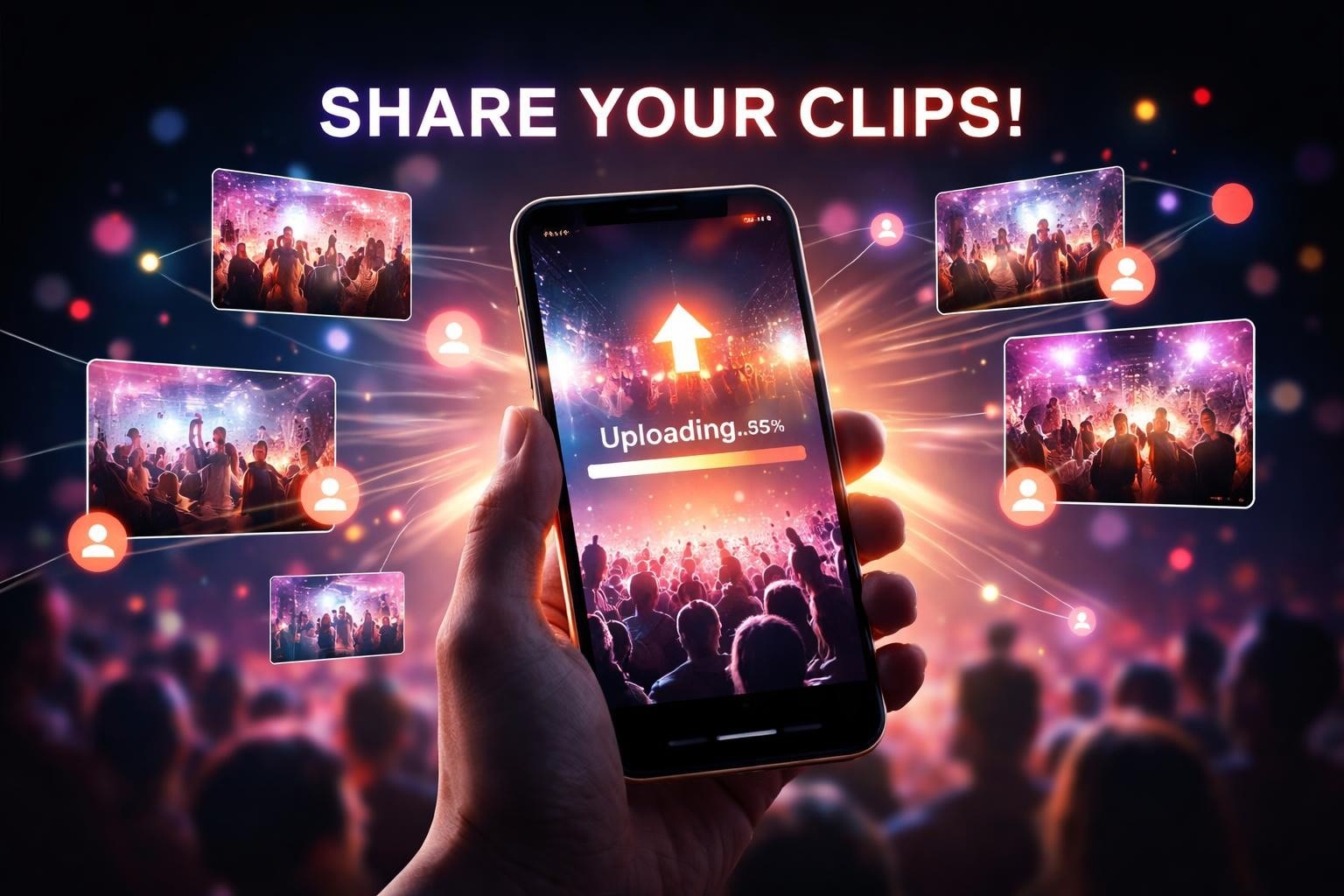
- Tap a link or scan a QR code
- Select video from camera roll
- Add optional caption
- Done
That's it. The entire process should take under 30 seconds. Anything longer and you're competing with Instagram, TikTok, and every other app that's spent billions optimizing upload flows.
When attendees upload short clips during an event, timing matters. The energy is highest in the moment. Make them wait until they get home and most won't bother.
Curating What Comes In
Here's where people get nervous. "What if someone uploads something inappropriate?"
Fair concern. Giving people upload access means you need curation. But curation doesn't mean manually watching every clip in real-time. It means having systems that flag potential issues and let you approve what gets published.
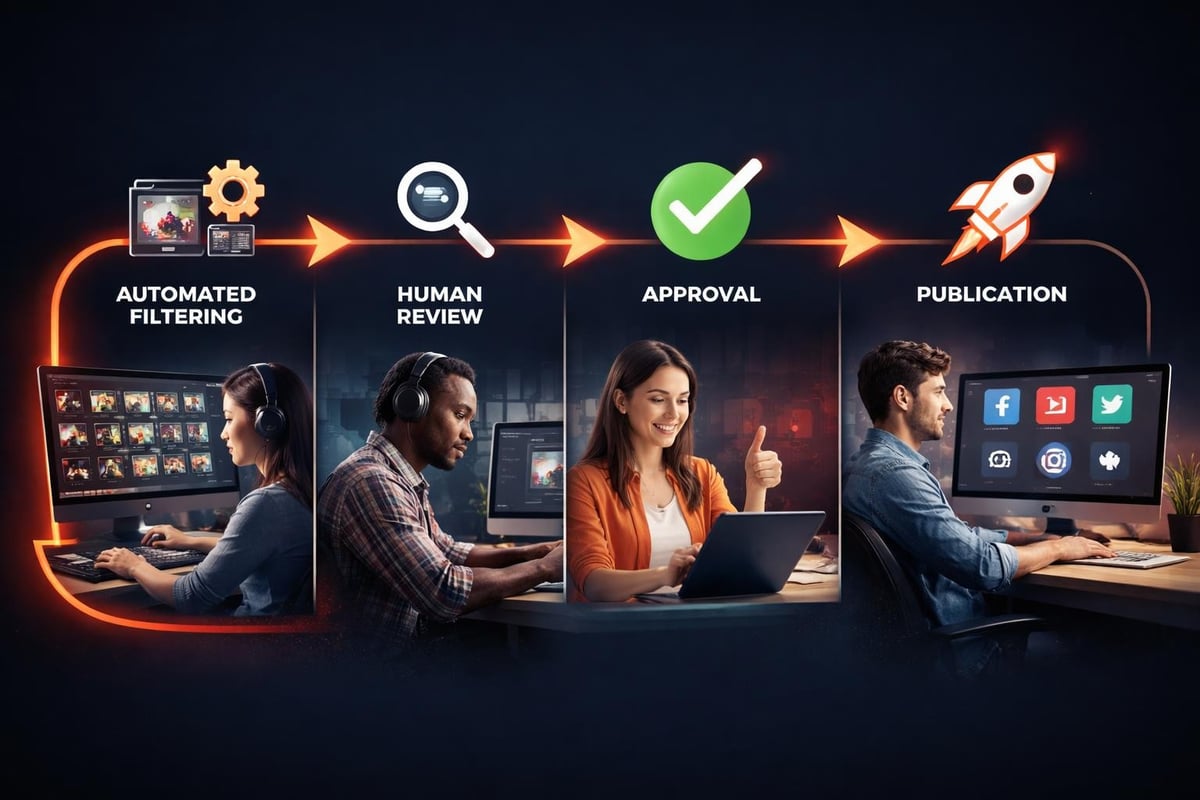
Best practices for content curation involve a mix of automated filtering and human review. AI can catch obvious problems (profanity in captions, duplicate uploads, technical issues). Humans make the final call on what represents your event well.
Review vs. Real-time Publishing
You've got two approaches when people upload short clips:
Approve-first: Every clip sits in a queue until someone reviews it. Slower, but safer. Works for corporate events, brand activations, anything where reputation risk is high.
Publish-first: Clips go live immediately with automated filtering. Humans review flagged content and can remove things after the fact. Faster, riskier. Works for festivals, sports events, community gatherings.
Most events land somewhere in between. Publish automatically during the event when energy is high and you want social buzz. Switch to approve-first for post-event content when there's no rush.
Platform Distribution That Actually Happens
Getting people to upload short clips is half the battle. Getting those clips distributed is the other half.
You could manually download each video, add branding, and post to your social channels. That works for five clips. Not fifty.
When you're working with user-generated content at scale, you need automation. ShortSync's platform guide covers the technical requirements for posting to multiple platforms, but the strategic question is simpler: which platforms actually matter for your audience?
Platform selection based on event type:
- Music festivals: TikTok, Instagram Reels (where fans already share)
- Business conferences: LinkedIn (where attendees are professional)
- Sports events: YouTube Shorts, Instagram (highlight culture)
- Community events: Facebook (where local audiences gather)
You don't need to be everywhere. You need to be where your specific audience actually watches video. The beauty of short clips is they're easy to repurpose. The same 30-second moment works on TikTok, Instagram, and YouTube with minimal editing.
Content licensing becomes important here. When attendees upload short clips, they're granting you rights to use that content. Make that clear upfront. Simple checkbox during upload: "I agree to let [Event Name] share this video on social media." Done.
Mobile-First Upload Design
Everyone's on their phone at events. Building upload flows for desktop first is backwards.
The SureShot mobile app approach is instructive here. No app download required. Works in any mobile browser. Uploads happen over cellular or WiFi without special configuration.
What mobile-first actually means:
- Large touch targets (fingers aren't precise)
- Minimal typing required (keyboards on phones are tedious)
- Visual feedback during upload (people need to know it's working)
- Works on spotty connections (events have terrible WiFi)
That last point matters more than people think. When your upload flow requires perfect connectivity, half your clips never make it. Build for intermittent connections. Let uploads pause and resume. Show progress clearly.
File size optimization helps too. When people upload short clips, the raw file from their phone might be 200MB for a one-minute video. That's fine for WiFi, brutal for cellular. Smart platforms compress on-device before upload while maintaining quality. The user sees a 30-second upload instead of five minutes.
What Gets Shared vs. What Gets Deleted
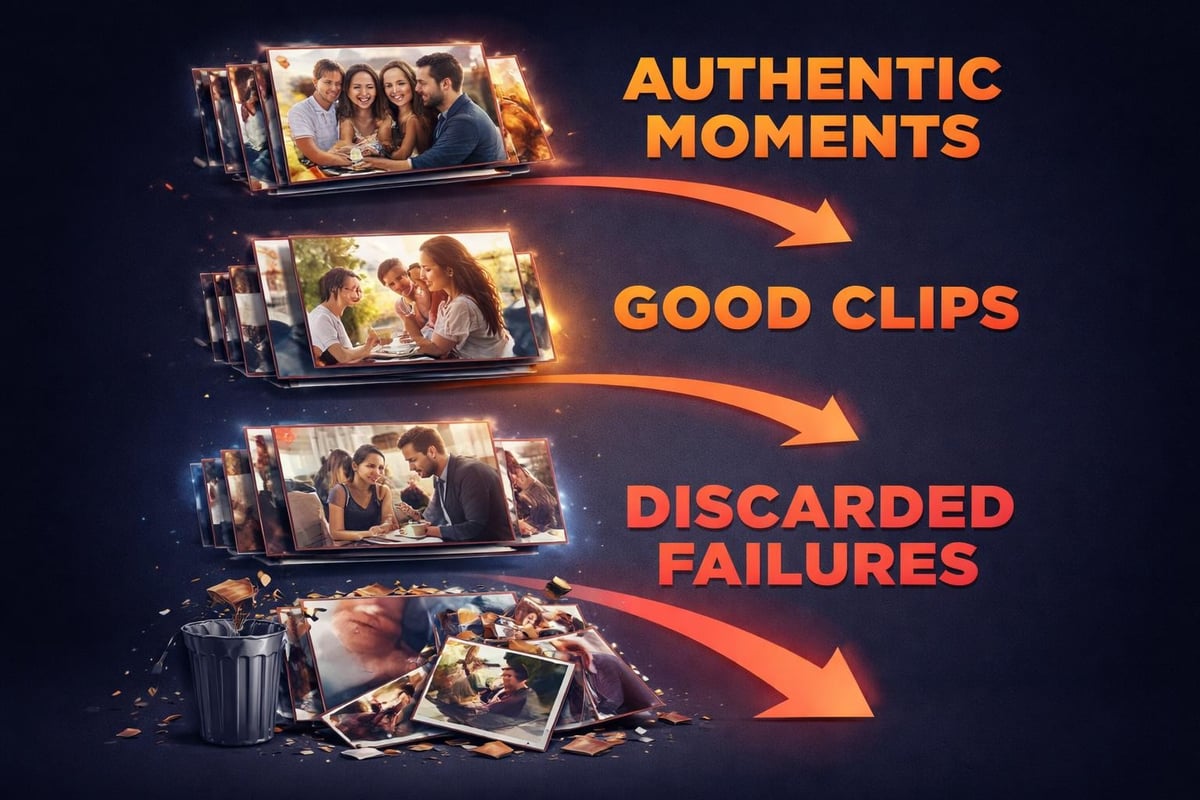
Not every clip people upload short clips is worth keeping. That's fine. Volume matters more than perfection when you're collecting user-generated content.
You'll see patterns quickly:
High-value clips:
- Genuine reactions (laughter, surprise, emotion)
- Unique angles of key moments (stage rushes, reveals, celebrations)
- Attendee testimonials (unprompted praise, stories)
- Behind-the-scenes moments (setup, preparation, candid interactions)
Low-value clips:
- Shaky or out-of-focus footage (hard to salvage)
- Audio-only or screen-black videos (technical failures)
- Duplicates of the same moment (you need one, not twenty)
- Off-topic content (not relevant to the event)
The ratio typically runs about 30% keepers, 70% discards. That's expected. You're casting a wide net. The keepers are authentic in ways professional footage can't replicate because they're shot by people experiencing the moment, not documenting it.
Storage and Organization
When dozens of people upload short clips, you need a system that doesn't collapse under its own weight.
Vimeo built a business on reliable video hosting, and FlexClip's video uploader offers substantial storage space because they understand the volume problem. But for events, you need more than storage. You need organization.
Taxonomy that works:
- Event name and date (obvious, but people forget)
- Upload timestamp (when it was submitted, not filmed)
- Uploader ID (anonymized but trackable)
- Auto-generated tags (AI can identify content, people, settings)
- Manual tags (your team adds context)
- Usage rights status (approved for social, web, both, neither)
Searchability becomes critical as your library grows. Finding "that clip with the red jacket from Saturday afternoon" shouldn't require watching 200 videos. Metadata and tagging make this possible.
Cloud storage is non-negotiable in 2026. Local storage fails when your team works remotely or you're collaborating with external editors. Everything should be accessible from anywhere with proper permissions.
Rights and Permissions Without Lawyers
When people upload short clips to your event platform, you need their permission to use that content. But you don't need a legal document per video.
A simple terms of service during signup covers it. Key points to include:
- You retain ownership of your content
- You grant us a license to use it for [specific purposes]
- You confirm you have rights to any music, people, or brands in the video
- You understand content may be edited or removed at our discretion
Keep it readable. Legal language intimidates people. Plain English gets actual consent because people understand what they're agreeing to.
Understanding content licensing helps here. You're not buying their video. You're licensing the right to use it. That distinction matters legally and ethically.
For music specifically, assume most clips will have copyrighted audio. Either:
- Replace it during editing
- Only use clips for internal purposes (not public social media)
- Work with platforms that have music licensing (Instagram, TikTok handle this automatically)
Measuring What Works
You can't improve what you don't measure. When running an upload short clips program, track the metrics that matter.
Vanity metrics that feel good but don't help:
- Total views across all clips
- Number of uploads received
- Storage space used
Actionable metrics that drive decisions:
- Upload completion rate (started vs. finished)
- Time from event to upload (capturing in-the-moment energy)
- Clips approved vs. rejected (quality of submissions)
- Social engagement per clip (which content resonates)
- Cost per clip vs. professional footage (ROI calculation)
| Metric | Target | Why It Matters |
|---|---|---|
| Upload completion | >80% | Measures friction in your process |
| Approval rate | 30-50% | Balance between quality and volume |
| Same-day uploads | >60% | Indicates in-event engagement |
| Average watch time | >40% | Shows content quality |
The last one is critical. If people upload short clips but nobody watches them, your curation failed. Either the content isn't compelling or you're posting to the wrong platforms.
Common Mistakes to Avoid
You'll screw things up. Everyone does the first time. Here's what to avoid.
Asking for too much information during upload. Name, email, phone, company, role, favorite color. Each field you add drops completion rates. Get the video first. You can ask questions later.
Unclear instructions. "Please upload your favorite moment" is vague. "Upload a 10-30 second clip of the keynote speech or your team's reaction" is specific. People need direction.
No feedback loop. When someone uploads and hears nothing back, they assume it failed. Send confirmation immediately. Bonus points for showing them when their clip gets used.
Ignoring vertical video. Most event videos shot on phones are vertical. Fighting that is pointless. Design for it.
Forgetting about attendees without smartphones. In 2026 it's rare, but it happens. Have a backup option (email submission, help desk) for edge cases.
When AI Actually Helps
You said you don't want to generate videos using AI. Smart. Authentic content beats synthetic every time.
But AI is incredibly useful for managing content after people upload short clips. Specifically:
- Auto-tagging content (detecting scenes, objects, text)
- Transcribing audio (for searchability and accessibility)
- Identifying duplicate submissions (same moment, different phones)
- Flagging potential issues (blurry footage, poor audio, inappropriate content)
- Suggesting clips that pair well together (for compilation videos)
The human still makes creative decisions. AI handles the tedious sorting and organizing that would take hours manually.
When you're working with crowd-sourced video, volume is both an asset and a challenge. AI helps you manage the challenge while preserving the asset.
Integration with Existing Workflows
Your team already has tools. Video editing software, social media schedulers, digital asset management systems. Making people upload short clips to a standalone platform that doesn't connect to anything is friction.
Look for platforms with APIs and integrations. You should be able to:
- Export approved clips directly to your editing software
- Push published videos to social schedulers automatically
- Sync metadata with your existing DAM
- Pull analytics back into your reporting dashboard
SureShot's use cases show how event organizers integrate user-generated content into broader marketing workflows. The upload platform isn't the end goal. It's a collection tool that feeds your actual content engine.
Getting attendees to upload short clips transforms how you capture events. Instead of paying a video team to document moments from one perspective, you get dozens of authentic perspectives at a fraction of the cost. The key is removing friction from the upload process and having smart curation on the backend. If you're running events and want attendees to become your content creators, SureShot gives you the platform to collect, curate, and distribute user-generated video without the technical headaches. Your attendees already have the best cameras in their pockets. Put them to work.